Book formatting is a crucial step before publishing because it shapes how readers experience your book on the page and screen. Even a well-written manuscript can look unprofessional if the spacing, margins, headings, page numbers, or digital navigation are poorly prepared.
Proper formatting improves readability, enhances professionalism, and ensures compatibility across print and digital platforms. This guide explains how to format a book for print and ebook publishing, what mistakes to avoid, which tools to use, and when professional formatting support may be the better choice.
What Is Book Formatting?
Book formatting is the process of arranging a manuscript into a clean, readable, publication-ready layout. It includes page size, margins, fonts, spacing, chapter headings, page numbers, images, and digital navigation. Writing creates the content, while formatting prepares that content for readers, retailers, and publishing platforms.
Why Proper Book Formatting Is Important
Proper formatting creates a professional appearance and improves the reader experience. It also helps meet publishing platform requirements, reduces upload errors, and keeps the book consistent across print and digital editions. A clean layout builds trust because readers expect a published book to look polished and easy to follow.
Difference Between Print and Ebook Formatting
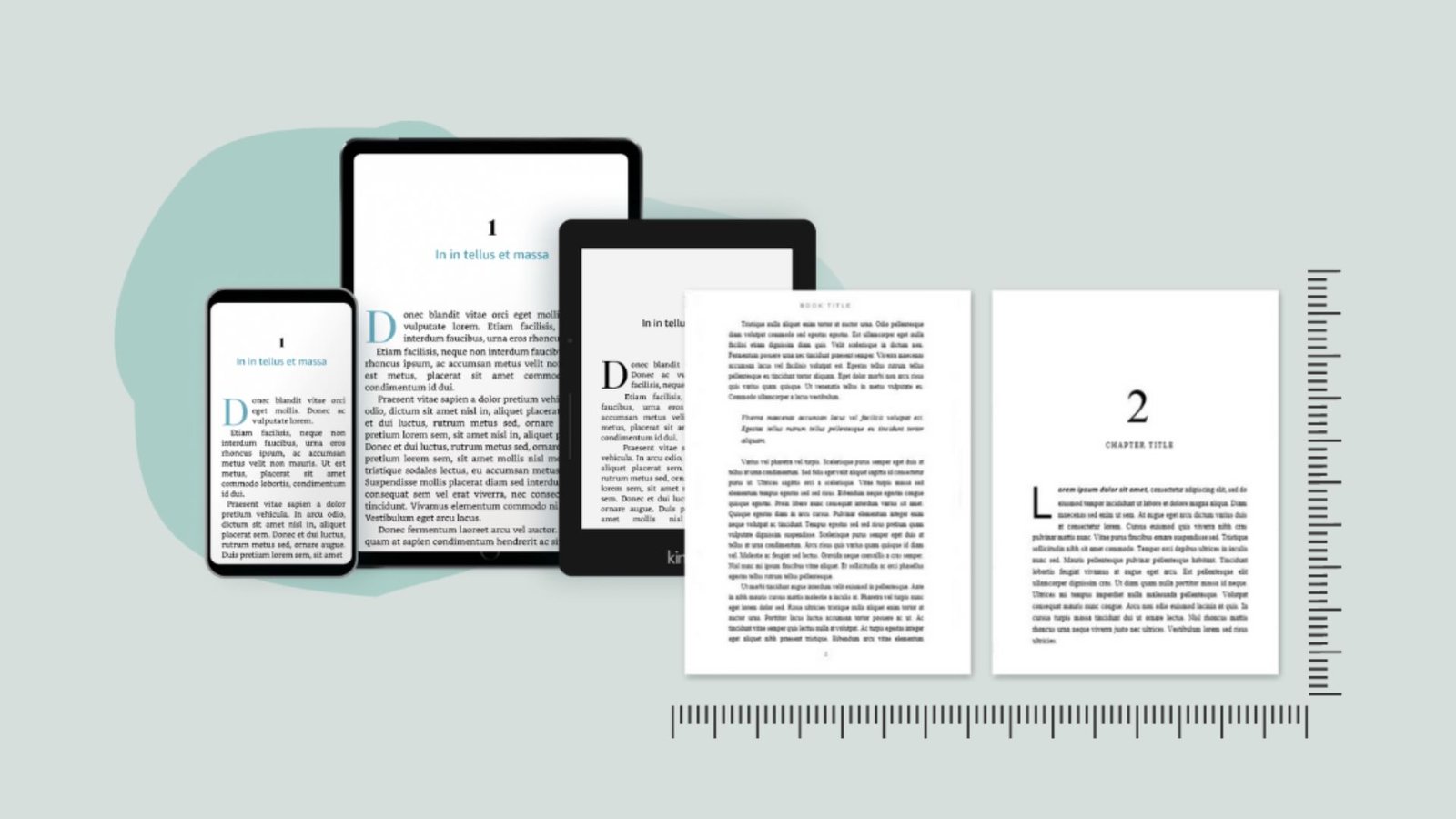
Print formatting prepares a fixed page layout for paperback or hardcover editions. It includes trim size, margins, gutters, headers, footers, and page numbers. Ebook formatting is different because the text must adjust to different screen sizes, fonts, and devices.
A print file does not automatically work as an ebook. Print books usually use fixed layouts, while most ebooks use reflowable text. This means the content shifts based on the reader’s device settings, so ebook formatting must avoid unnecessary spacing, manual breaks, and rigid design choices.
How to Format Your Book for Print
Print formatting starts with choosing the right trim size for your genre and publishing goals. Authors must set proper margins and gutters so the text does not sit too close to the edge or disappear into the binding.
Readable fonts, consistent chapter headings, proper page numbering, headers, footers, line spacing, and paragraph indentation all matter. Front matter and back matter should be arranged correctly, and images or graphics must be placed at high resolution. The final file is usually exported as a print-ready PDF.
How to Format Your Book for Ebook
Ebook formatting focuses on flexibility and navigation. The text should be reflowable so readers can adjust font size and screen settings. A clickable table of contents is essential because it allows readers to move easily between chapters.
Chapter breaks should be clean, images should be optimized for digital devices, and hyperlinks should work properly. Avoid fixed spacing, extra tabs, unnecessary styling, and manual formatting that may break on different devices. Ebook files are usually exported as EPUB or Kindle-compatible formats.
Essential Elements Every Book Should Include
A professionally formatted book usually includes a title page, copyright page, optional dedication, table of contents, preface or introduction, chapters, acknowledgments, about the author section, call-to-action, and additional resources when relevant. These elements help the book feel complete and make it easier for readers to understand the author, topic, and next steps.
Common Formatting Mistakes Authors Should Avoid
Common formatting mistakes include using too many fonts, inconsistent spacing, incorrect margins, manual page breaks, improper image sizing, missing page numbers, and broken ebook hyperlinks. Authors should also avoid ignoring platform guidelines or skipping a final formatting review before publishing. These issues can make a book look rushed, even when the content is strong.
Best File Formats for Print and Ebook Publishing
PDF is the standard format for print books because it preserves the layout exactly. EPUB works for most ebook platforms, while KPF is used for Kindle publishing. DOCX is useful during manuscript editing, but it is not always the final publishing format. Choosing the correct file type helps prevent upload errors and display problems.
Tools for Book Formatting
Authors can use Microsoft Word, Adobe InDesign, Atticus, Vellum, Kindle Create, Reedsy Book Editor, Scrivener, or Canva for limited formatting purposes. Simple books may be formatted with basic tools, but complex layouts, image-heavy books, and illustrated books often require professional formatting software or help from a book publishing service.
DIY Book Formatting vs Hiring a Professional Formatter
DIY formatting can lower upfront costs and give authors more creative control. It may work well for simple novels or basic nonfiction books. However, it has a learning curve, and mistakes can lead to rejected files or poor reader experience.
Professional formatting offers higher-quality layout, better platform compliance, and time savings. It is especially useful for illustrated books, workbooks, children’s books, image-heavy nonfiction, or authors working with a book publishing company that requires specific production standards.
How to Prepare Your Book Before Formatting
Before formatting begins, the manuscript should be fully edited and proofread. Authors should finalize images, organize chapters, review consistency, remove tracked changes and comments, and create a publishing checklist. Formatting should not begin while major text changes are still being made because late revisions can disturb the layout.
Formatting Requirements for Popular Publishing Platforms
Publishing platforms such as Amazon Kindle Direct Publishing, IngramSpark, Apple Books, Kobo Writing Life, Barnes & Noble Press, and Google Play Books each have their own file requirements. Authors should review trim sizes, bleed settings, image resolution, ebook navigation rules, and upload guidelines carefully before submitting files.
Following platform guidelines is essential whether authors publish independently, through book publishers, or with a book publishing service. Requirements can affect whether the book uploads successfully and displays correctly.
Tips for Professional Book Formatting
Keep formatting clean, consistent, and easy to read. Use industry-standard fonts, maintain consistent heading styles, optimize images for print and digital use, and test ebooks on multiple devices. Authors should also review print proofs before publishing and follow the formatting guidelines provided by each platform or book publishing company.
Case Study: A First-Time Author Who Fixed Formatting Issues
A first-time author prepared a nonfiction manuscript and uploaded it without professional formatting. The print edition had uneven margins, awkward chapter spacing, and inconsistent page numbers, while the ebook had a broken table of contents. After hiring a formatter, the book was rebuilt for print and ebook separately. The final version looked cleaner, uploaded correctly, and gave readers a smoother experience.
Conclusion
Book formatting is an essential part of the publishing process because it affects readability, credibility, and overall presentation. A properly formatted book helps readers focus on the content instead of being distracted by layout problems. Authors should take time to prepare both print and ebook editions carefully. Whether formatting independently or hiring professional support, the goal is to create a polished reading experience that meets platform standards and supports long-term publishing success.
FAQs
What is book formatting?
Book formatting is the process of arranging a manuscript into a clean, readable, publication-ready layout. It includes margins, fonts, spacing, chapter headings, page numbers, images, front matter, back matter, and ebook navigation.
Why is book formatting important before publishing?
Book formatting is important because it improves readability, creates a professional appearance, and helps the book meet print and ebook platform requirements. Poor formatting can make a book look unprofessional and may cause upload or display issues.
What is the difference between print formatting and ebook formatting?
Print formatting creates a fixed layout for paperback or hardcover books, including trim size, margins, gutters, headers, footers, and page numbers. Ebook formatting uses reflowable text so the content adjusts properly across phones, tablets, e-readers, and other digital devices.
Can I format my book myself?
Yes, authors can format simple books themselves using tools like Microsoft Word, Atticus, Vellum, Kindle Create, or Reedsy Book Editor. However, complex books, illustrated books, workbooks, and image-heavy manuscripts often need professional formatting support.
What file format do I need for publishing?
Print books usually require a print-ready PDF, while ebooks usually require an EPUB or Kindle-compatible file. DOCX is useful for editing and manuscript preparation, but it is not always the best final file format for publishing.